What is a crypto wallet?
A crypto wallet is software or a separate device that lets you manage your private keys. Those private keys are your secret keys. They give you access to your coins on the blockchain.
Many people think their coins sit inside the wallet. They do not. Your coins are always on the blockchain. The wallet only holds the keys you use to prove they are yours.
Think of it as the code to a safe. The safe is somewhere else, you have the code. Whoever has the code can reach the contents.
Lose your private keys and you lose access to your coins. Permanently. That is why a solid backup of your seed phrase counts just as heavily as the wallet itself.
With a custodial solution a company holds the private keys for you. Think of an exchange where you leave your coins. Convenient, but you depend on that party. With a non-custodial wallet you hold the keys yourself. Full control, and therefore full responsibility.
We have been around since 2013 and have been helping people make that move to self-custody ever since.
Types of crypto wallets
Almost every wallet you come across falls into one of these three groups. They differ in convenience and in how much your keys come into contact with the internet.
Mobile wallet
An app on your phone. Your keys sit on a device with an internet connection. Handy for small amounts you use regularly.
Software wallet
A program or browser extension on your computer. Here too your keys sit on a device with an internet connection. Suitable for amounts you manage now and then.
Hardware wallet
A separate device that keeps your keys offline. Transactions are signed on the device itself. Meant for amounts you want to store for a long time.
Type of wallet | Where it lives | Keys online? | What it is often used for |
|---|---|---|---|
Mobile wallet | App on your phone | Yes | Daily use and small amounts |
Software wallet | Program or extension on your computer | Yes | Regular management from your desk |
Hardware wallet | Separate device, usually in a drawer | No | Long-term storage and larger amounts |
You will also often hear the terms hot wallet and cold wallet. A hot wallet is connected to the internet, such as an app on your phone or computer. A cold wallet is not, such as a hardware wallet. The less your keys are online, the smaller the chance that someone reaches them digitally.
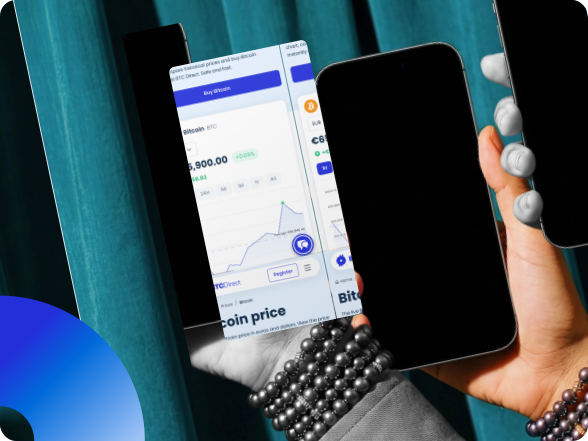
Mobile wallet, for on the go
A mobile wallet is an app on your phone. That means your coins are always within reach. Think of it as a current account for crypto that you send or spend regularly.
Most mobile wallets are free and work on iOS and Android. They are mainly used for smaller amounts. A phone gets lost or stolen more easily than a device in your drawer, and malware is a real risk on a phone.
Turn on two-step verification wherever the app offers it. And write down your seed phrase the moment you create the wallet, not later.
Many hardware wallet makers also have an app of their own. That app is then the interface for your hardware wallet, not a second place where your keys live.
How do you create a wallet?
Creating a wallet takes a few minutes with most apps. The steps are nearly always the same, whether you use a mobile wallet or a hardware wallet.
Choose your wallet and start it up
Download the app from the official website or the app store, or unpack your hardware wallet and connect it. Always check that you are on the genuine site. Then choose "create new wallet" and set a PIN or password straight away.
Write down your seed phrase
The wallet generates your private keys and shows you 12 or 24 words. Write them down in the right order on paper, or punch them into a metal backup. Not on your phone, not in the cloud, no photo.
Check your backup and receive your first coins
The wallet asks you to repeat the words. If everything matches, you can copy your wallet address and receive your first coins.
Software wallet, manage from your computer
A software wallet is a program on your laptop or PC. Sometimes it is a browser extension. On setup the wallet generates a seed phrase of 12 or 24 words. You use those to restore your wallet if you ever need to reinstall it.
Pay attention to which coins a software wallet supports. Some wallets only work with bitcoin. Others only work with Ethereum and the tokens on it. There are also wallets that handle many different coins at once. Check that before you send any coins.
A software wallet is usually free and is often used for amounts you manage now and then. Your laptop leaves the house less often than your phone, but your keys do sit on a device with an internet connection. That is the difference with a hardware wallet, where the keys stay offline.
Hardware wallet, your keys offline
A hardware wallet is a separate device that keeps your private keys offline. Some models look like a USB stick. Others have a screen, buttons or a touchscreen. There are also models that work via QR codes and so never need a cable.
Your transaction is signed on the device itself. Your keys do not leave the device, not even if your computer is infected with malware.
Lost your hardware wallet? With your seed phrase you restore your wallet on a new device. In case of theft the PIN helps: after a number of wrong attempts the device wipes itself.
Always buy a hardware wallet from the maker or from an official reseller. Devices from marketplaces may have been tampered with beforehand.
Looking for a hardware wallet?
We are an official reseller. Every device comes straight from the manufacturer to our shop and then to you. Browse the range or read our detailed guide first.
Your seed phrase is your crypto
Which wallet you choose matters less than how you store your seed phrase. Whoever has those 12 or 24 words can reach your coins. Wherever the device happens to be.
How to record your seed phrase
- Copy the words down straight away. In the right order, with the number next to each one. Do this while you are creating your wallet, not later.
- Transfer them to a seed backup. That is a steel plate you punch or slide the words into. Paper falls apart in a fire, in water or simply over time. Steel does not. A backup like that comes with instructions and the tools you need.
- Store it somewhere only you know. Do not keep your backup next to your hardware wallet. Two separate places means that anyone who finds one of them still has nothing.
- Check that you can read it back. Is every word and every position correct? Then you are done.
What you never do
Never put your words on your phone as a photo, not in a cloud document and not in an email to yourself. Never enter them on a website either, not even if someone says it is needed for an update or for support. We never ask for your seed phrase.
We never ask for your seed phrase
BTC Direct never asks for your seed phrase. Not through chat, not by email and not over the phone. If someone does ask for it, it is a scam. In that case get in touch with us through the official channels.
Which wallet suits you?
There is no wallet that is best for everyone. These questions help you choose.
- How much are you storing? For a small amount you use regularly, a mobile wallet is practical. If it is an amount you cannot afford to lose, storing offline is worth considering.
- How often do you use it? Sending daily calls for something quick. Putting it away for years calls for something that stays offline.
- Which coins do you hold? Some wallets only do bitcoin. Others support hundreds of coins.
- How much do you want to arrange yourself? More self-custody means more control, and also more responsibility of your own.
Many people combine. A mobile or software wallet for daily use, and a hardware wallet for whatever can sit still for a long time. Like a current account alongside a savings account.
Not sure? Our experts are happy to help you choose.
Frequently asked questions about crypto wallets

TrustScore4.5|10,922 Reviews
Trade securely via Trade securely via



Ready to manage your coins yourself?
With us your coins go straight to your own wallet with every purchase. You keep control from the very first moment. Open a free account and buy your first crypto within minutes.
Buy your first crypto in 3 minutes, straight to your own wallet.
